
Copy CMP Consent to a New Site
This guide explains how to create a new site for Clickio Consent and copy consent settings from another site where Clickio Consent is already configured.
It is available for Enterprise accounts and requires a valid Clickio user token (request it from your account manager).
You can copy only a source site that is available under the same account as your user token.
Use a two-step token flow.
1) Get your user token
Request your Clickio user token from your account manager. You will use this value as your_user_token in the next step.
2) Get refresh token
POST https://platform.clickio.com/api/Common/refreshToken
Header:
Body:
{}
Success response:
{
  "success": true,
  "refreshToken": "eyJhbGciOi..."
}
refreshTokenTtl explained
Some responses include:
-
refreshTokenTtl(integer)
Meaning:
-
Remaining refresh token lifetime in seconds.
Recommended usage:
-
Continue with the same token while it is valid.
-
Request a new refresh token when needed via
/api/Common/refreshToken
Copy CMP consent to a new site
POST https://platform.clickio.com/api/Site/copySiteAndConsent
Headers:
-
Content-Type: application/json -
Refresh-Token: {refresh_token}
Also supported header names: RefreshToken, X-Refresh-Token
Body:
{
  "site_id": 12345,
  "url": "https://new-domain-example.com"
}
Parameters:
-
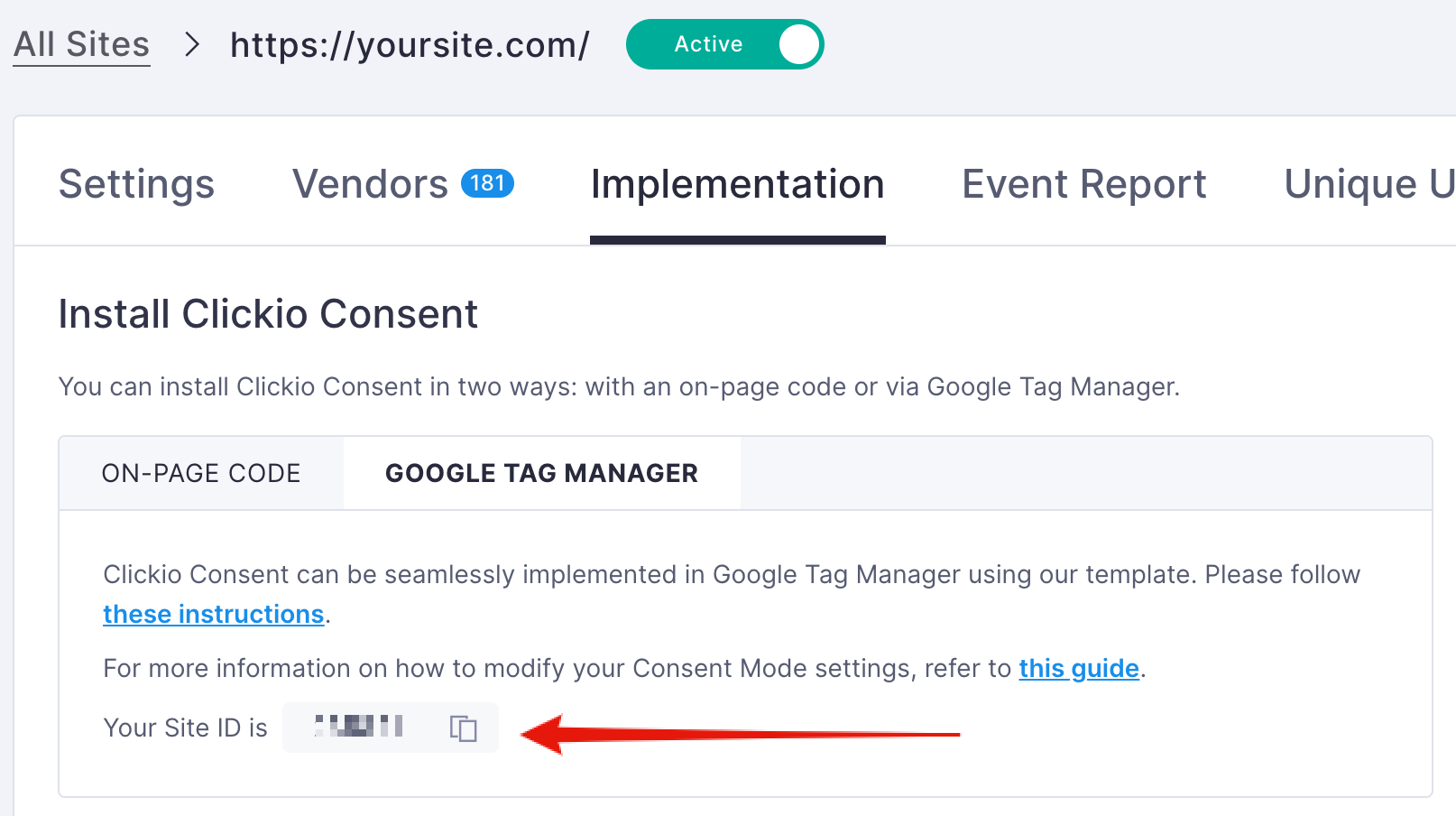
site_id(integer, required): source site ID. You can find it in Clickio UI:Consent > yoursite.com > Implementation > Google Tag Manager.
-
url(string, required): new domain or URL for the new site.
Success response:
{
  "success": true,
  "site_id": 67890
}
What is copied:
-
CMP configuration from the source site.
-
Related custom consent settings, including vendor list configuration when applicable.
Rate limits:
- no more than 60 requests per minute
- no more than 2 concurrent requests
Error format
Error response:
{
  "error_id": 100111,
  "error_text": "Validation error message"
}
Validation errors may also include details:
{
  "error_id": 100113,
  "error_text": "Input validation error.",
  "error_details": [
    {
      "field": "url",
      "message": "Invalid domain format."
    }
  ]
}
Common client-facing errors:
| HTTP | error_id | Meaning | Action |
|---|---|---|---|
| 400 | 100101 | Required parameter is missing | Check request body |
| 400 | 100102 | Invalid parameter type | Check JSON field types |
| 404 | 100110 | Source site not found or unavailable | Check site_id and ownership |
| 400 | 100111 | Invalid domain/URL | Fix url |
| 400 | 100113 | Site data validation failed | Review error_details |
| 400 | 100114 | Consent copy failed after site creation | Contact support and share request details |
| 429 | 100300 | Rate limit exceeded: no more than 60 requests per minute | Reduce request frequency and retry later |
| 429 | 100301 | Rate limit exceeded: no more than 2 concurrent requests | Reduce parallel calls and retry |
| 401/403 | 500 | Token/auth/subscription issue | Refresh token or check your access |
Support
If you need help with setup or troubleshooting: support@clickio.com
-
source
site_id -
target
url -
request timestamp
-
full API request and response body